
1. Choose your coins.
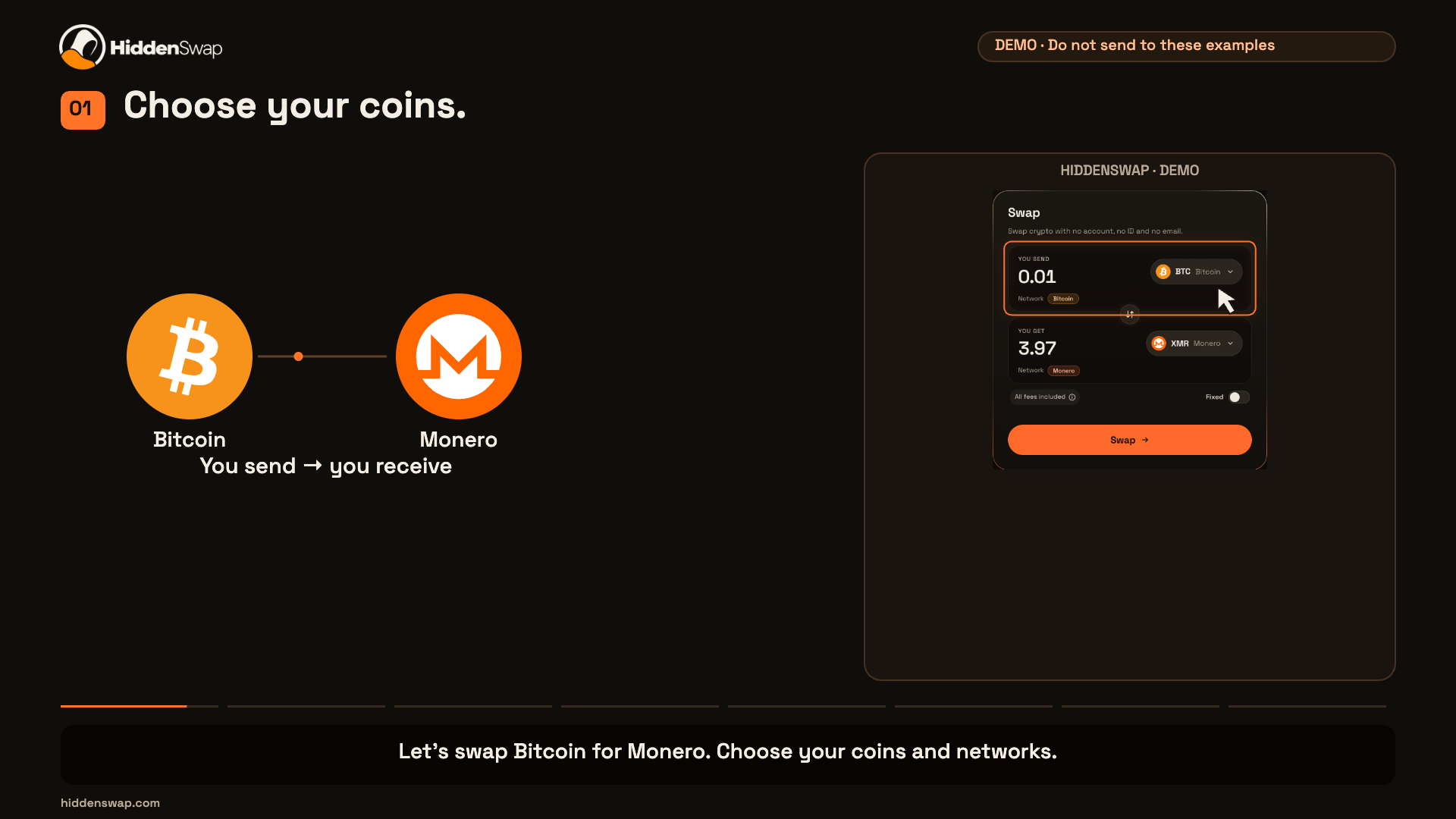
Let’s swap Bitcoin for Monero. Choose your coins and networks.

How it works
Three steps, and no account at any step.
No account, no email and no ID needed to swap.
Start a swapWatch the steps
Follow a Bitcoin to Monero example using the current swap form.
38 seconds. Updated 1 October 2026. Example addresses only; no real funds moved. AI narration.
Let’s swap Bitcoin for Monero. Choose your coins and networks.
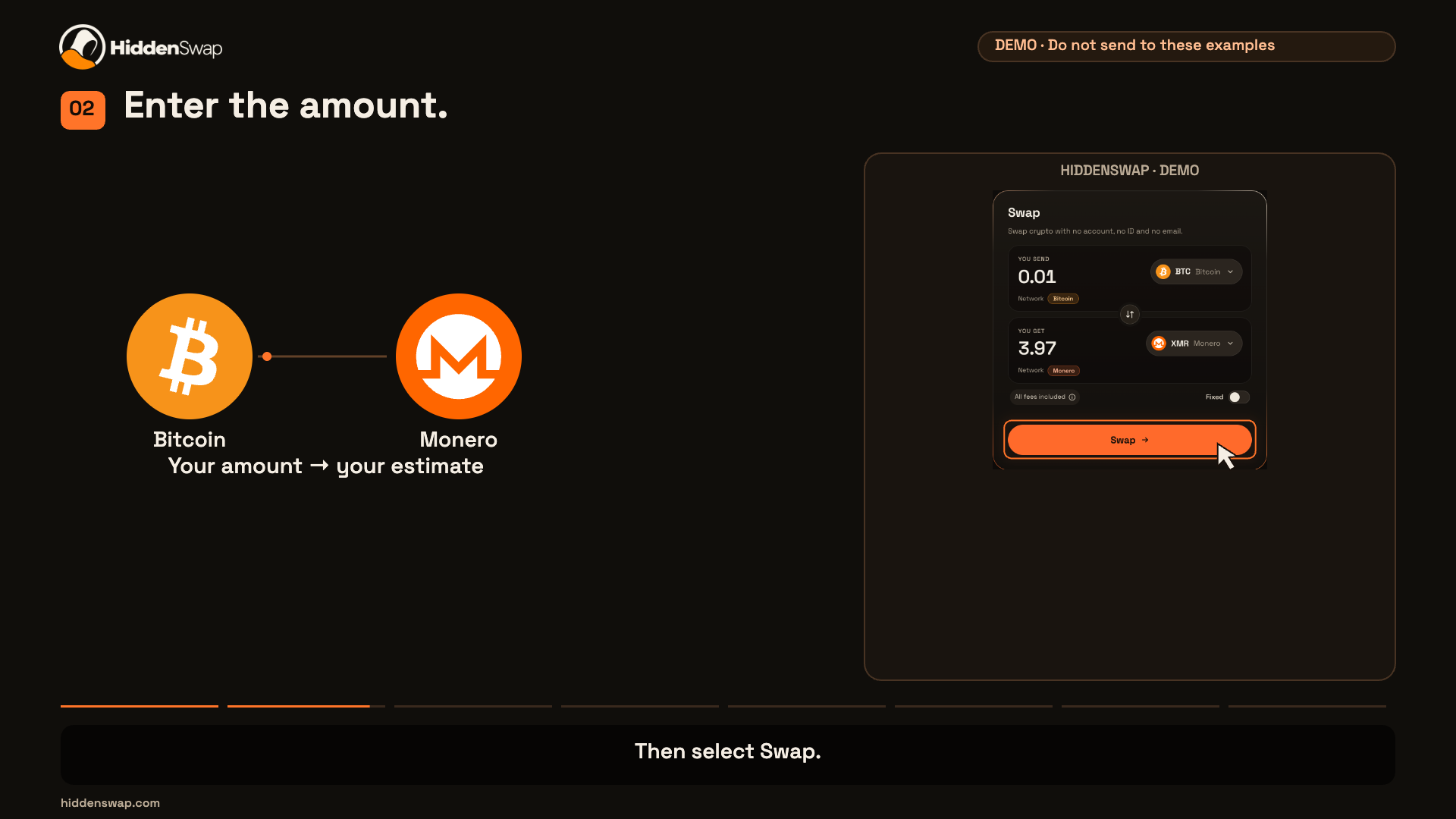
Enter the amount you want to swap. Then select Swap.
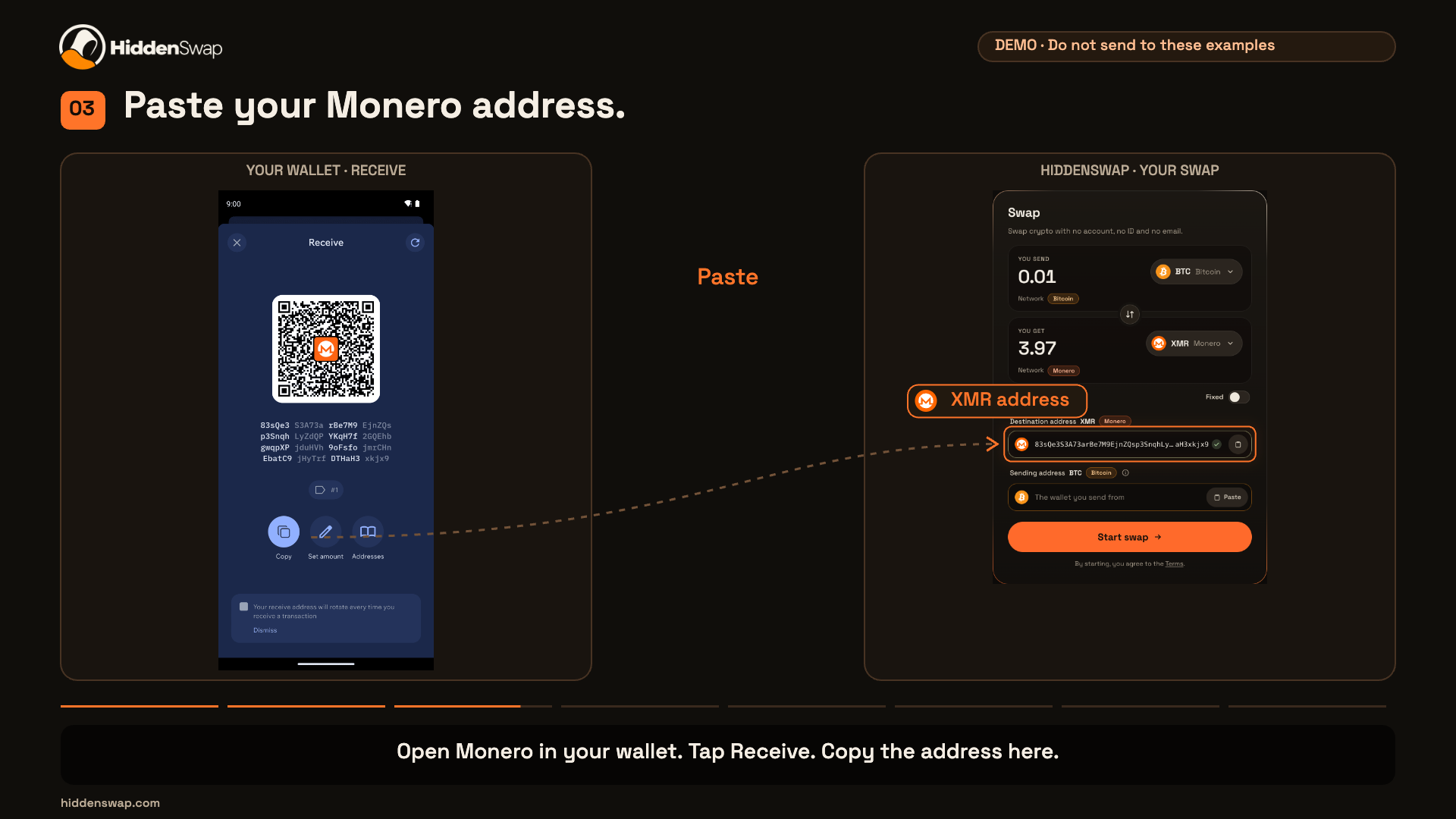
Open Monero in your wallet. Tap Receive. Copy the address here.
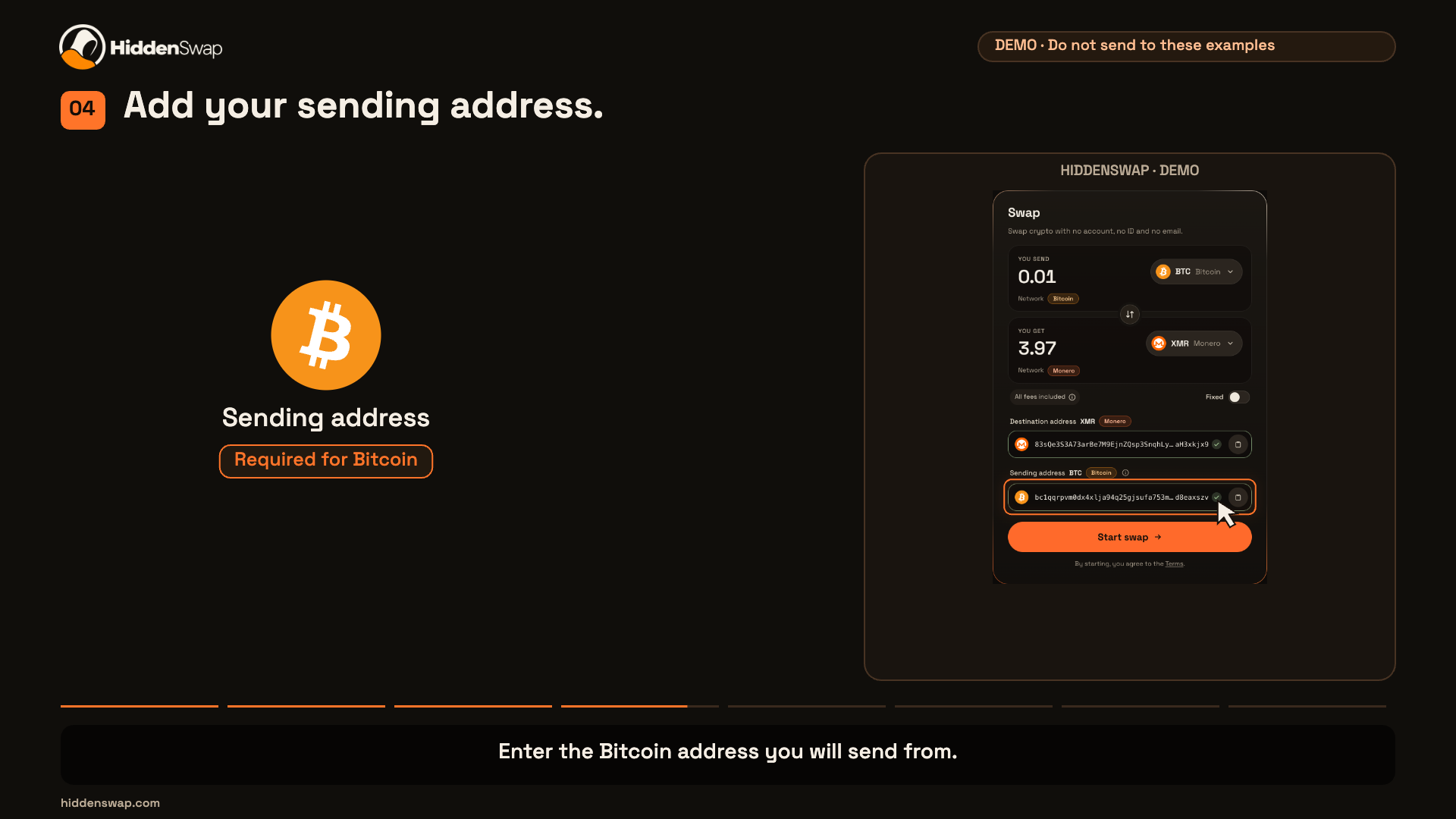
Enter the Bitcoin address you will send from.
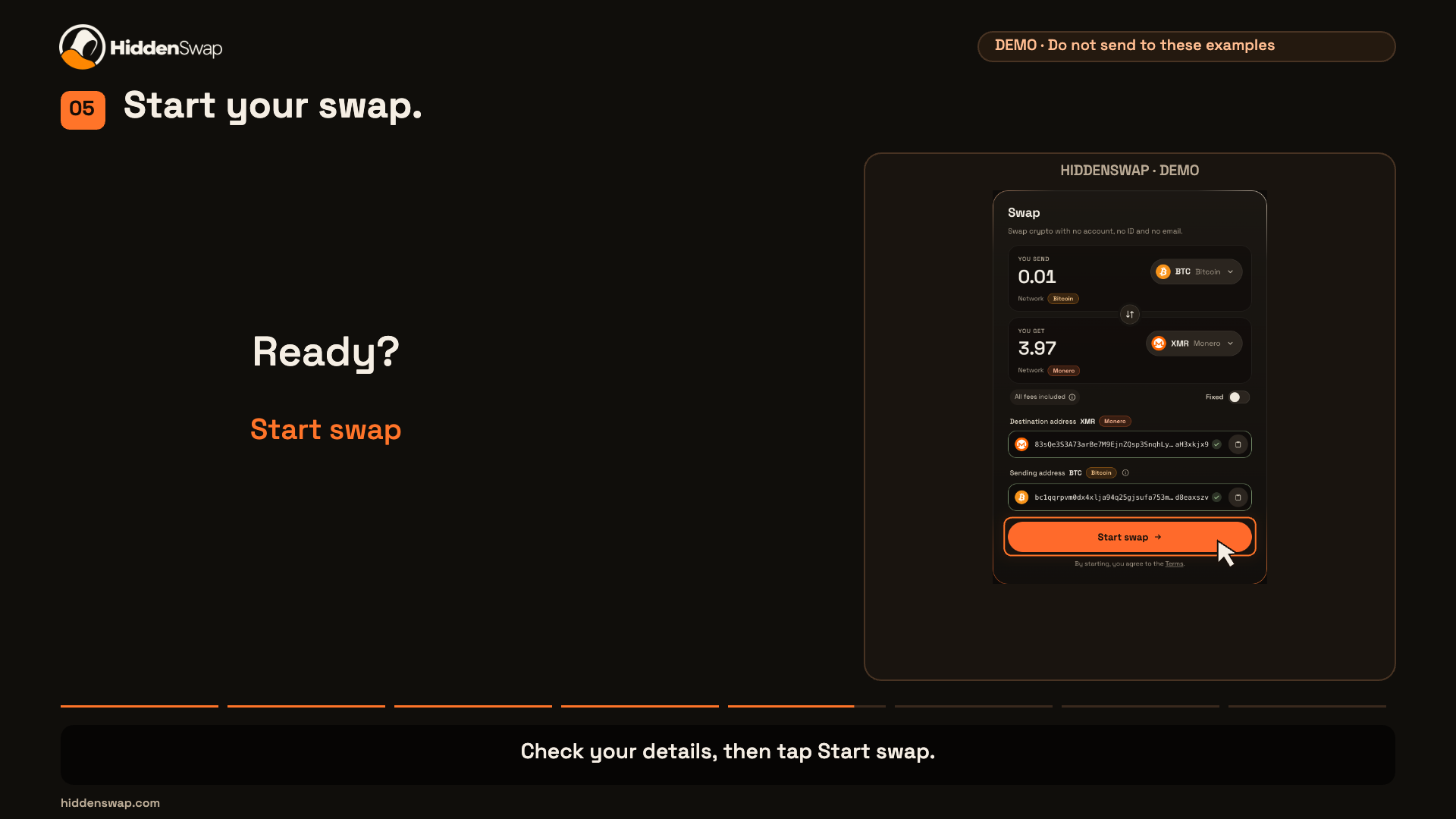
Check your details, then tap Start swap.
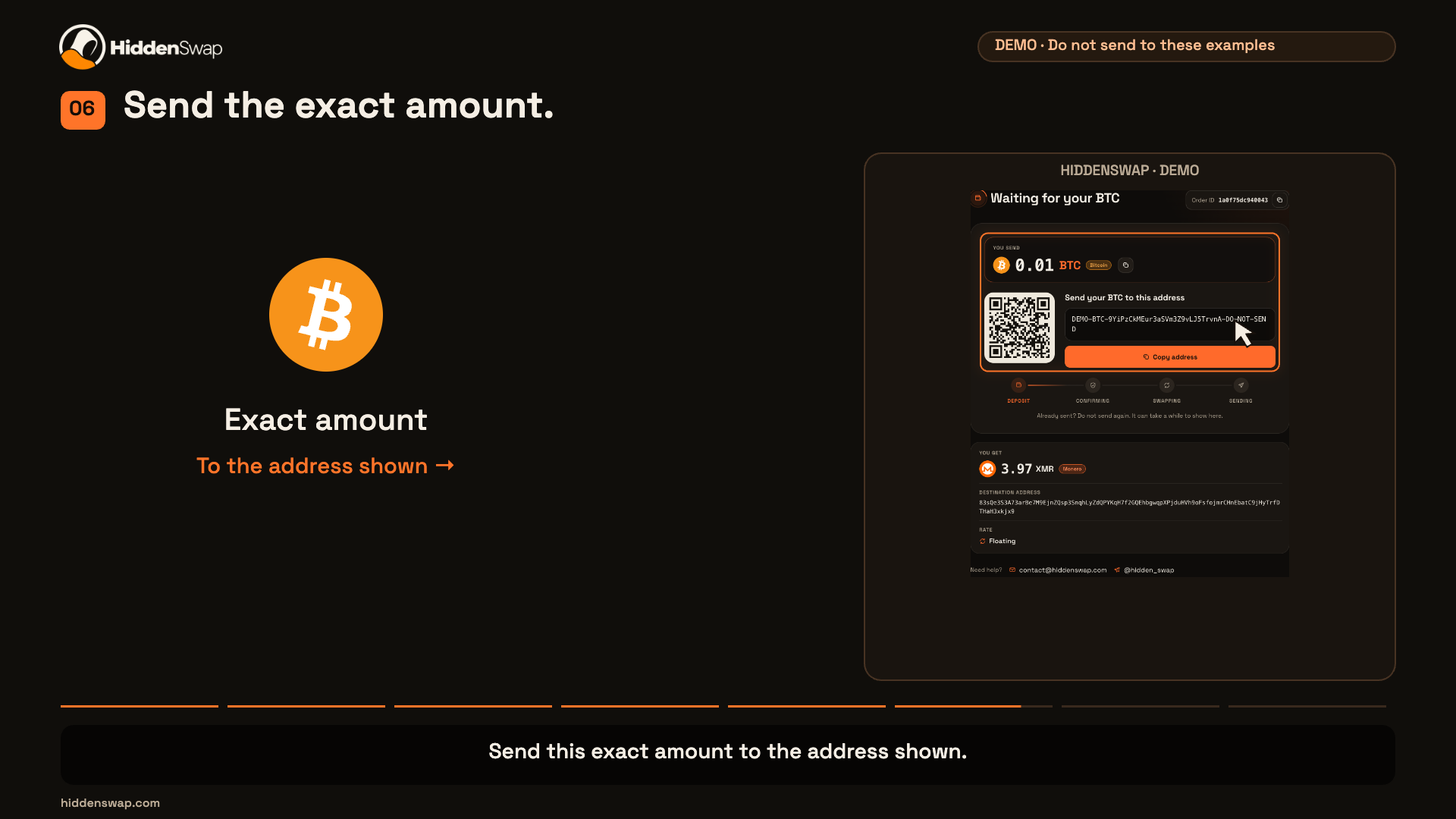
Send this exact amount to the address shown.
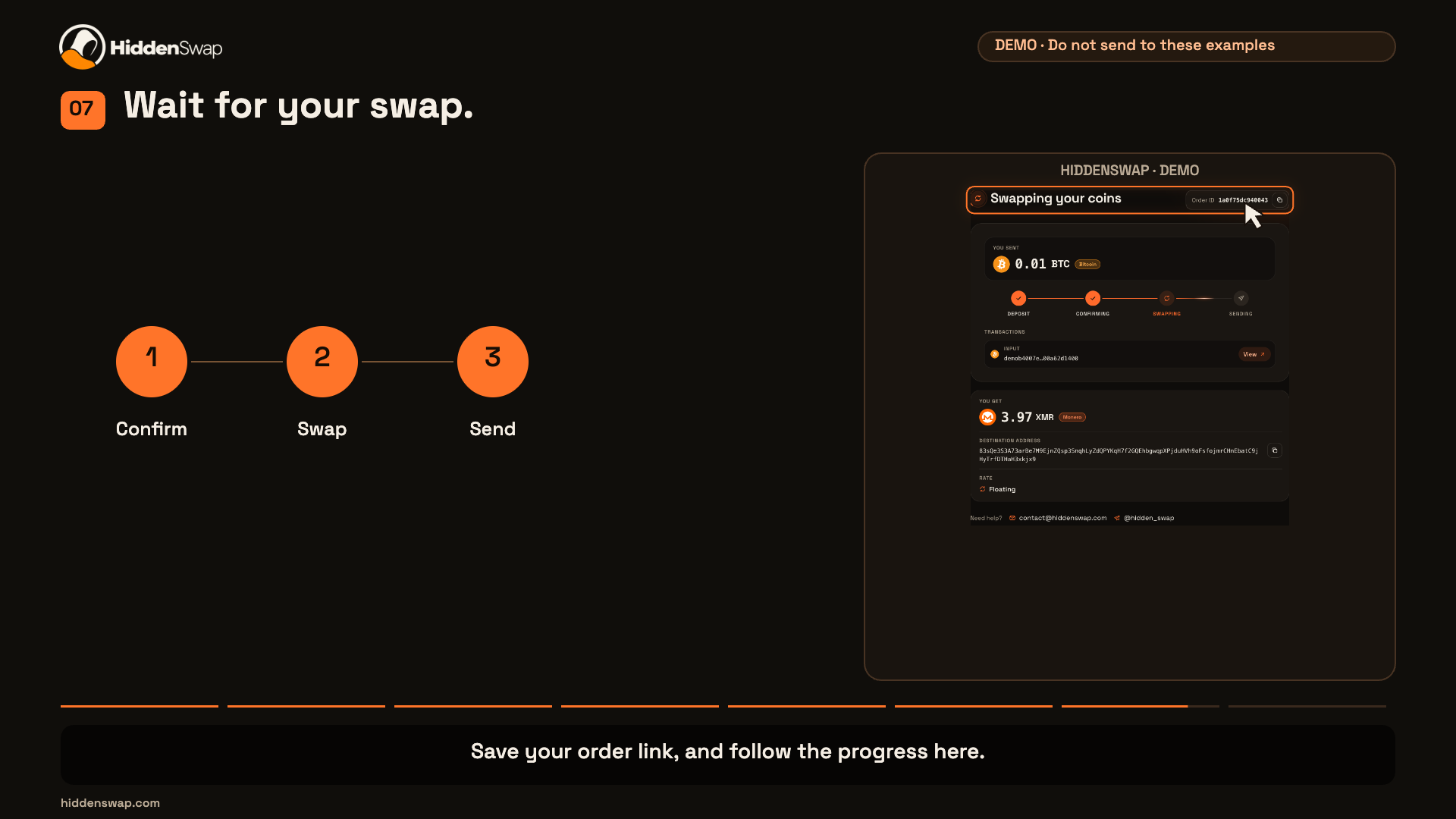
Save your order link, and follow the progress here.
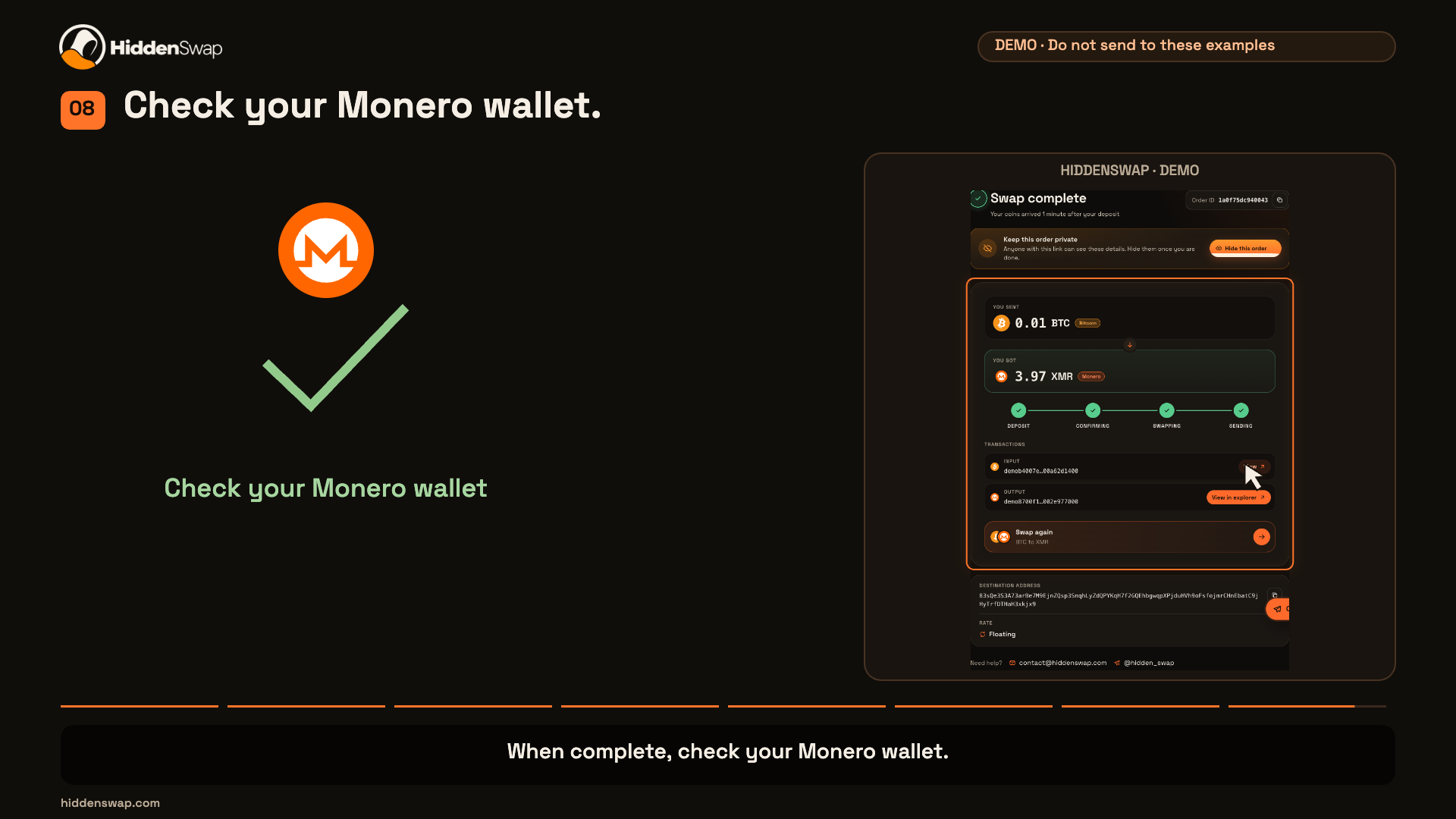
When complete, check your Monero wallet.
The Bitcoin sending address is required. It is not a refund address. Sending Monero does not need this field. For refund help, keep your order ID and read how refunds work.
Pick what you send and what you get. Choose a floating or fixed rate. The rate, fees and limits show before you continue.
Paste the address for your new coins. Then send the exact amount to the deposit address we show. Save your order ID.
We confirm your deposit, swap your coins and send them to your address. Follow each step on the status page.
Floating follows the market until the network confirms your deposit, so you may get a little more or a little less.
Fixed keeps the rate if the exact amount arrives in one transaction before the timer on your order page ends.
Wrong amount, a late deposit or a swap that does not finish. Contact support with your order ID. No account needed.
Hi! Ask us anything about a swap. No account or email needed. If you have an order ID, add it to your message.
Save it to come back to this chat later, on any device. Anyone with the code can read this chat.